Illustrated guide · 18 checks
How to audit product onboarding
Follow the customer’s task from first attempt to useful result. Learn what to inspect, how to recognize a failure, and which change to make next.
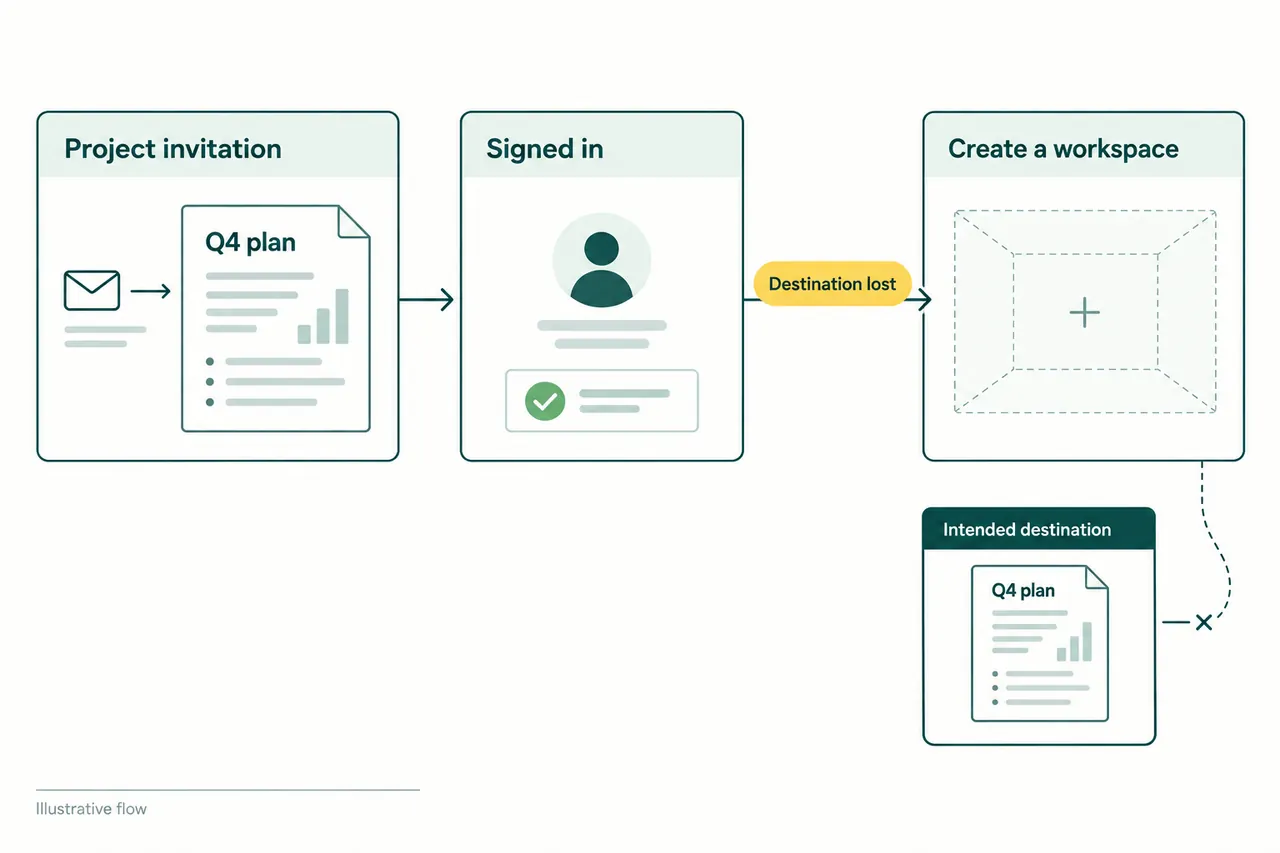
A product onboarding audit follows one customer task from its real entry point to a useful result. It examines the decisions, waiting, errors, and handoffs along that route, then repeats the task under a harder condition: an interruption, an invitation, missing access, or unfamiliar input.
Start by naming what the person came to accomplish. “Finish the tour” describes an interface milestone. “Open a report containing my own project data” gives you a result whose quality you can inspect. The distinction changes which problems you notice and which changes deserve attention.
Choose a task with a result you can recognize
Use a believable situation and describe the goal without naming the buttons. GOV.UK’s guidance on moderated usability testing recommends tasks that give participants a clear goal without teaching them how to get there. For a first-use review, include the person’s role, prior knowledge, account state, and the work someone else has already prepared.
An owner connecting a data source and an invited teammate opening a shared report are different journeys. Starting both reviews at the dashboard would hide the owner’s setup and the teammate’s invitation. Begin where the customer’s attempt actually starts, including sign-in, approval, or waiting when those are part of the task.
In your notes, keep four things together: the starting state, the action taken, the result observed, and the consequence for the task. A screenshot can preserve the interface state. It still needs an explanation of what the person was trying to do.
Recognize first value in the work itself
Two product walkthroughs show why an audit needs a task-specific definition of progress. In Excalidraw, we could make a simple diagram before signing in. In Photopea, we first chose document settings, then made an image and inspected its PNG preview. Both sessions used synthetic content; the screenshots below are from our October 5, 2026 observations.
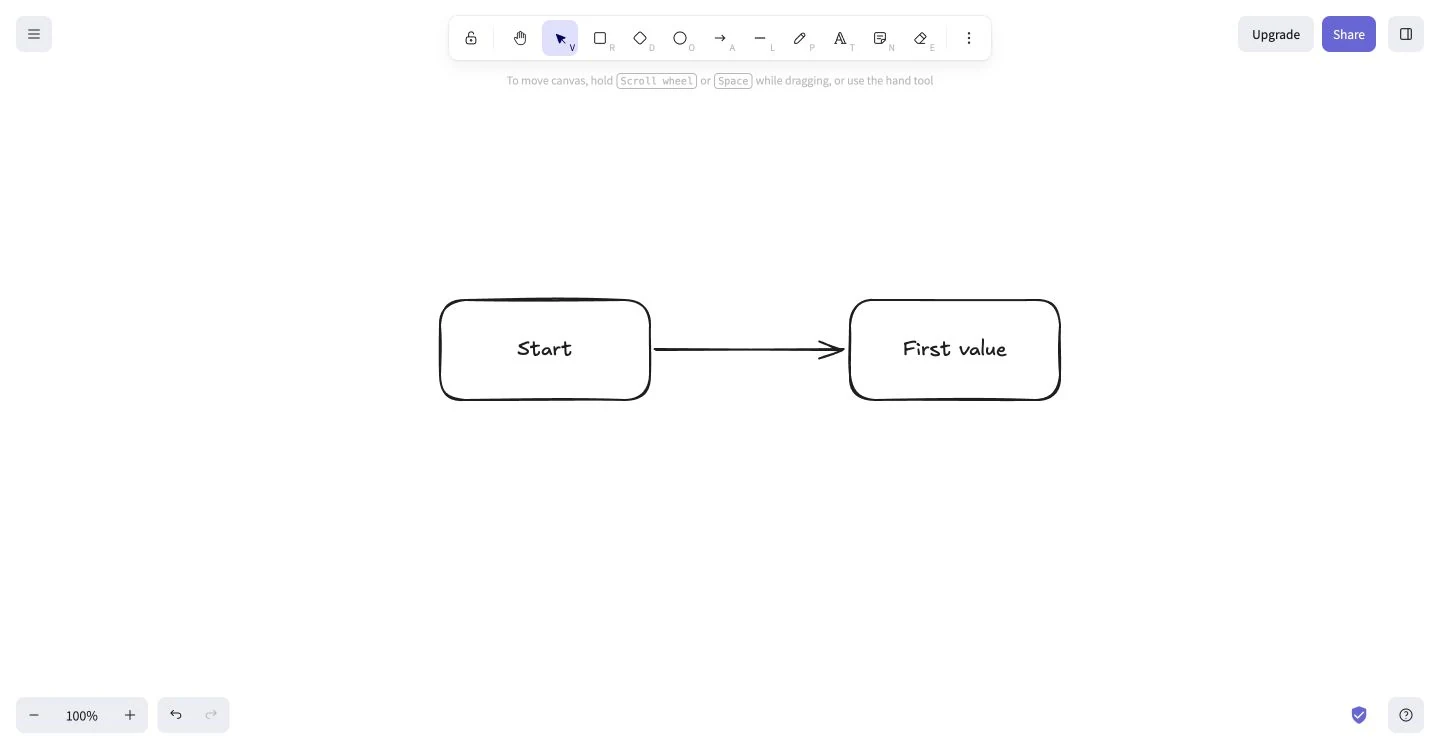
A blank canvas can be a useful starting point
For our task, the canvas offered a direct route to making something: two labeled shapes connected by an arrow. An audit should ask whether the person can recognize the available action and produce the artifact they intended. It should also follow the artifact into saving, sharing, or returning when those are part of the job. See the Excalidraw walkthrough for the observed steps and their limits.
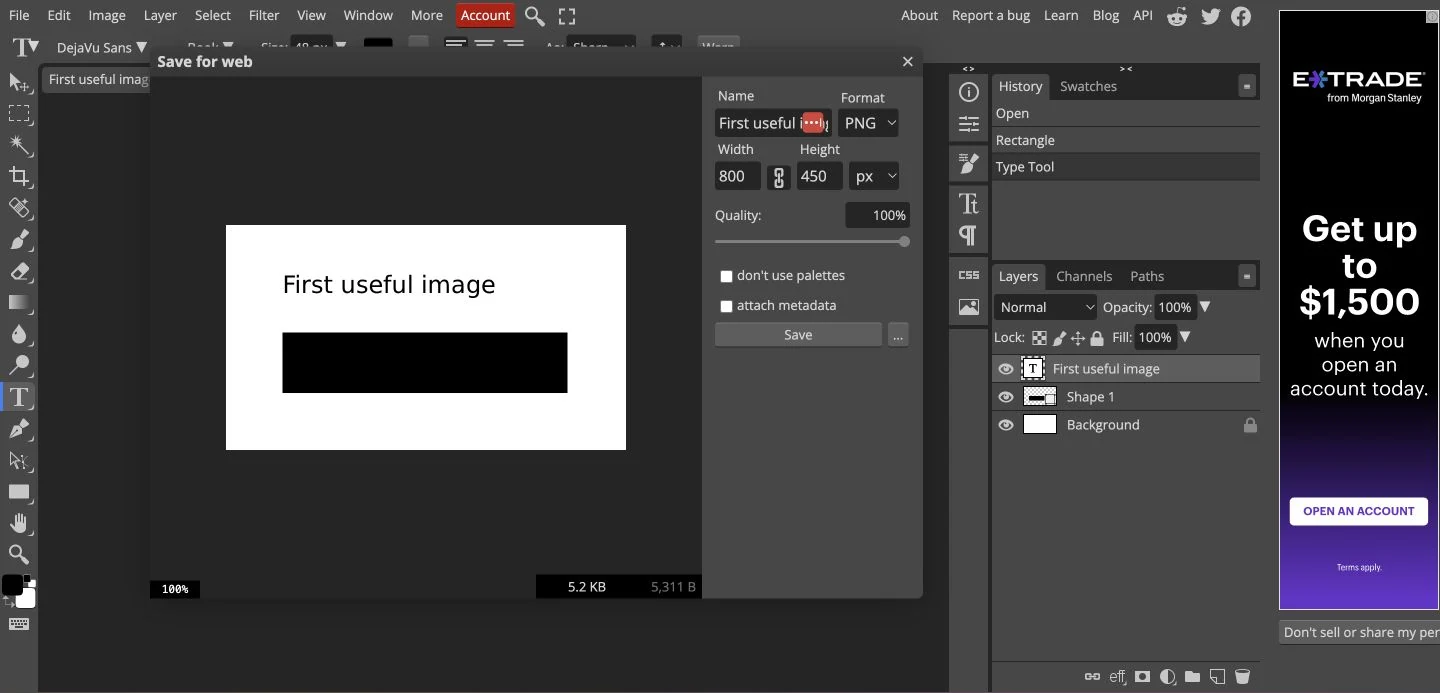
A visible result may still have another step to go
The preview let us compare the created image with the intended dimensions and format. If the task is to use that image elsewhere, file delivery is another condition to verify. We observed the save action but did not independently reopen its output. The Photopea walkthrough keeps those milestones separate rather than treating a closed dialog as proof that the whole task succeeded.
The review
The following 18 checks cover the journey from first attempt to continued use. Apply the relevant checks to one defined task. Each question names something to inspect, and each linked guide explains the decision in more depth.
Start with the person’s task
Run one defined journey at a time. A workspace creator and an invited reviewer may need different first results.
Can a likely user attempt the task without being taught the route?
Start at the actual entry point with a task brief that does not name the buttons. Record the first hesitation, wrong turn, and intervention. Keep observed actions separate from your explanation of them.
Does every signup question change a decision needed now?
Follow each answer to the next screen or service decision. Remove or defer profile questions with no current use. Check that required inputs, optional inputs, and formats are explained before submission.
Can someone continue with an uncertain or mistaken choice?
Try the less obvious starting choice, a wrong preference, and “not sure” where available. Confirm that a useful route remains and the person can change their choice without creating another account.
Reach a useful result
A completed form, dismissed tour, and usable customer result are different milestones.
Does the activation event stand for a result the person can use?
Produce the result and ask the person what it enables. Try empty data, sample data, and automatically created objects. Specify whose action counts and which quality conditions prevent an accidental success.
Does the measure include the wait and the people who never finish?
Record the start, qualifying event, and fixed observation window. Review completion alongside elapsed time among completers. Keep imports, approval waits, and assisted preparation visible; compare journeys separately.
Does the first working screen offer the right next action?
Open a new empty account, a filtered view with no results, and a view without permission. Check that each explains its own state and offers a useful action. Keep sample work recognizable and easy to leave.
Teach at the point of need
Give each introduction a reason to appear, and give the person a way to keep working.
Does guidance solve the obstacle in front of the person?
Attempt the task with the tour dismissed. Use a checklist only when meaningful tasks remain across sessions; distinguish prerequisites from suggestions. Check that help can be dismissed and found again, including on a small screen or a different role.
Can the person understand and correct what the product remembers?
Return after changing a preference and after one exploratory action. Check saved work and explicit settings first. Try correcting or hiding a recommendation, undoing that choice, and using a stable general browsing route.
Preserve shared work and permissions
A new person does not necessarily need a new workspace, and a blocked person may need another person to act.
Does an invitation survive sign-in and land at the intended work?
Open the invitation as its recipient, then with the wrong signed-in identity and an expired invitation. Check that authorized access reaches the original task, explains the account context, and avoids asking the invitee to repeat shared setup.
Are completed preparation, personal work, and blocked dependencies distinct?
Inspect an assisted or partly prepared account. Verify what is ready, which consequential choices still need confirmation, and who can act on a missing permission. Follow any request route and check its pending, approved, and rejected states.
Continue after an interruption
Follow the return path in the state it actually reaches, including when the work changed while the person was away.
Does a return visit recover the current task without duplicating work?
Leave real sample work unfinished and return later. Repeat with a completed background job or expired connection. Confirm the object and valid choices are recognizable, the next action reflects current state, and retrying a consequential action does not perform it twice.
Does each onboarding email still have an actionable reason to arrive?
Inspect the same task after completion, deletion, a teammate’s action, and lost access. Check the stopping rule, recipient, and repeated-trigger behavior. Follow the link through sign-in and assess the resulting task, rather than the click alone.
Include errors and access needs
Record the environment you actually used. These checks help review a journey; they do not establish accessibility conformance.
Are errors discoverable, specific, and repairable without re-entering valid work?
Submit missing and malformed values. Find the error from the current position, reach the affected control, and repair it. Check persistent labels and instructions, preserved valid values, and a clear confirmation when submission succeeds.
Can the whole task be operated by keyboard with visible focus?
Use Tab, Shift+Tab, Enter, and the controls’ expected keys. Check menus, file selection, backtracking, overlays, and dismissal. Verify focus is not hidden by sticky content and returns to a useful location after a dialog closes.
Can authentication and recovery preserve the task?
Try a password manager, pasting a password or full verification code, an expired link, and an incorrect code. Check that recovery explains what can be retried and returns to the intended destination after successful sign-in.
Can the person perceive changed state and use the task in their own setup?
Run success and failure with a screen reader and the relevant device or magnification setup. Check names, error associations, loading and completion announcements, and whether zoom or a small viewport hides instructions or required actions. Involve people who use those setups.
Introduce the next capability
Onboarding continues when established users meet a feature, a moved control, or a changed workflow.
Is a feature introduction relevant, usable, and clear about its consequence?
Open it with and without eligible data or permissions. Separate optional discovery from a moved control or retiring workflow. Check that demonstration does not silently publish, notify others, or enable an account-wide change.
Can the person dismiss the introduction and still finish their original task?
Dismiss it, return, and use the feature successfully. Check that repeated prompts stop appropriately and durable help remains findable. Observe attempts, useful results, and disruption to the original task separately.
Turn an observation into a specific change
Describe the failure at the level where someone can act on it. “Onboarding is confusing” leaves the team guessing. A useful finding identifies the person’s intended result, the observed interruption, and what that interruption prevented.
This example is a hypothesis for a particular failure, not a claim about the products shown above. For a real finding, attach the observed sequence or screenshot, identify who owns the relevant behavior, and agree on what a successful repeat attempt would show.
Prioritize a blocked result, lost work, or consequential mistake before a cosmetic interruption. A single walkthrough can reveal a failure and suggest a repair; it cannot establish how often the failure occurs. Use further observation and comparable product data to assess that separately.
When measuring the result, keep the starting event, qualifying outcome, and observation window together. Report completion alongside elapsed time among people who finish, so a faster minority does not hide everyone still waiting. The activation measurement guide includes a completed definition and worked calculation.
Sources & further reading
- GOV.UK Service Manual: Using moderated usability testing
- GOV.UK Design System: Complete multiple tasks
- W3C WAI: User Notification
- W3C: Understanding Keyboard
- Amplitude: Build a retention analysis
Product screenshots come from our dated walkthroughs, linked above. The accessibility checks guide investigation; they do not establish conformance.